Skip to the guide

For promoters planning a pre-sale launch

Plan your pre-sale from real launch data.

A 149-page guide to pre-sale registration, an AI skill that asks you questions and then builds your pre-sale page, and the full master prompt. The number to plan around: median 13 days from registration going live to on-sale (Measured, 90 event groups).

£37 one-off

  • Instant download
  • Free sample chapter to check fit
  • Secure card checkout by Stripe
  • 149-page PDF
  • AI skill
  • Master prompt
  • Install guide
  • 13 days median from registration going live to on-sale. Measured, 90 event groups
  • 80.4% of the final pre-sale list in by day 7, median event. Measured, 52 events
  • 6.5 Meta-attributed purchases per 100 website registrations, median. Measured, 160 event groups
  • £37 one payment, no subscription, all sales final

The problem

Most launches are planned from memory.

You know the event is good. What is harder to know is how long to run registration, what the list should sell, and who builds the page.

  1. The window is a guess.

    Across 90 event groups, registration went live a median of 13 days before on-sale (Measured). Without a reference like that, most people pick a number by feel.

  2. Nobody says what a list should sell.

    Chapter 4 turns registrations into expected ticket sales by price band. Each cell is labelled Measured or Mixed, so you know how far to trust it.

  3. The page, the tracking and the consent are three jobs.

    A registration page has to convert, send clean events to your ad platforms and ask for consent properly. The guide covers all three, and the master prompt builds them together.

  4. The list goes cold.

    A list only helps if you follow up. Across 31 events a median of 19.6 people per 100 registrants joined the WhatsApp community (Measured). Communities under 10 members were left out, so treat it as a high estimate.

What you get

Four files, one download. Plus a free sample.

Read it, run it, or hand it to your AI assistant. The sample chapter is free and is not part of the paid download.

01 PDF guide, 149 pages

The Event Launch Guide

Twenty-four chapters in five parts, from planning the launch to running it, then seven appendices: the full master prompt, a UTM standard, message templates, checklists, benchmark tables, a glossary and sources. Every number carries a label and a sample size.

PDF Event-Launch-Guide.pdf

02 AI skill, one zip

presale-landing-builder

An installable AI skill that asks you questions about your event, then builds your pre-sale page.

presale-landing-builder.zip

  1. 1Ask questions
  2. 2Build the page
03 Master prompt

The full master prompt

The same text as Appendix A, as a plain text file. Paste it into your AI coding assistant if you would rather not install the skill.

TXT Event-Launch-Guide-Master-Prompt.txt

04 Install guide

Install the skill

Step by step instructions for adding the pre-sale page skill to your AI tool.

PDF Install-the-Pre-sale-Page-Skill.pdf

05 Free sample chapter

Chapter 4: What to expect

A 13-page PDF with the contents and chapter 4. From registrations to ticket sales by price band, with low, typical and hot cases. It stands on its own, so you can read it before you buy.

PDF

Inside the guide

Inside the guide.

Twenty-four chapters in five parts, then seven appendices. Chapter 4 is the free sample.

  1. Why a registration list works, how early to start, how long to run it, and what the list should sell.

    • Chapter 1: why pre-sale registration works, and when to skip it
    • Chapter 2: the launch timeline, with three reference calendars. The median gap from registration going live to on-sale was 13 days (Measured, 90 event groups)
    • Chapter 3: timing the week and the month. UK on-sale ads cost 21% more per Meta-attributed purchase on Mondays (Measured, 174 campaigns). That is an ad cost finding, not advice on the best day to release
    • Chapter 4: what to expect, from registrations to ticket sales by price band
  2. Reggie, Meta forms or your own site, then the build, the tracking, the data and the one prompt.

    • Chapters 5 and 6: Reggie, Meta forms or your own site, and setting up Reggie properly. E Labs owns Reggie, and the guide says so and says when not to use it
    • Chapter 7: build your own, with accounts, editor and models
    • Chapters 8 to 11: a page that converts, tracking, data and admin, consent and phone numbers
    • Chapter 12: one page, one prompt
  3. Meta registration campaigns, the other channels and how to run ads from your editor.

    • Chapter 13: Meta registration campaigns
    • Chapter 14: TikTok and the other channels
    • Chapter 15: run your ads from Cursor
    • Chapter 16: budgets, tests and rules
  4. The WhatsApp community, early access, email, SMS, your CRM and what it all costs.

    • Chapter 17: the WhatsApp community, built with WHAPI, including the risks of an unofficial route
    • Chapter 18: early access. Whether it lifts sales is untested, so the guide teaches a controlled test
    • Chapters 19 and 20: email, SMS and direct messages, and wiring your CRM
    • Chapter 21: what it all costs, with the date each price was checked
  5. The launch run sheet, how to measure and learn, and the anonymised case library.

    • Chapter 22: the launch run sheet, week by week and day by day
    • Chapter 23: measure, learn, repeat
    • Chapter 24: the case library
  6. The tools you copy from, and the evidence behind the numbers.

    • A: the full master prompt
    • B: the UTM standard
    • C: message templates
    • D: checklists
    • E: benchmark tables, with the tier and sample size of every key number
    • F: glossary
    • G: sources and the dates they were checked
How a list builds

A list builds fast, then slows.

For the median event, about a quarter of the final pre-sale list arrived in the first 24 hours and four in five by day 7. Use it to check that a registration window is long enough.

  1. By 6 hours
  2. By 24 hours
  3. By 72 hours
  4. By day 7
Median event. The clock starts when the first 1% of the final list has registered. Measured: 65 events (52 for day 7).

E Labs registration data to 5 October 2026. See chapter 2 and Appendix E of the guide.

The master prompt

It starts with a brief, not code.

The master prompt is the same text as Appendix A and the TXT file in your download. It makes the assistant read your brief first and ask for anything missing before it writes a line of code. Below is a short excerpt.

The job
Build a pre-sale registration page in nine phases, stopping after each one for your approval.
When to use it
When you want to build your own page instead of using Reggie. Chapter 5 sets the options side by side.

Check before you use the answer

  • Every required line of the brief is filled in, or the assistant has asked you for it
  • You approve each phase before the next one starts
  • No key, token or password is ever pasted into the chat
Prompt Fill in the [brackets]
ROLE: You are a senior full-stack engineer and a patient teacher. I am an event promoter, not an engineer, and I have never used GitHub or Vercel. Build me a high-converting pre-sale registration landing page with the stack, rules and phases below. Write plain British English and explain as you go.

HOW WE WORK
1. Read the BRIEF first. If any REQUIRED field is empty or vague, ask for every missing field in ONE message and wait. Do not write code and do not guess. For OPTIONAL fields use the default and say so.
4. Explain every command you ask me to run: what it does and what success looks like.

BRIEF (fill every line; each is REQUIRED or OPTIONAL)
event_name: REQUIRED [public name of the event]
city_or_area: REQUIRED [free text, as fans say it: a town, a district, "near the coast"]
dates: REQUIRED [start and end date with year, and the time zone]
capacity: REQUIRED [approximate number]
ticket_price_range: REQUIRED [currency and range, or "not announced"]
early_access_offer: REQUIRED [what a registrant gets and when, e.g. "on-sale link 1 hour early"]

What it does next

It reads your brief. If a required line is empty or vague, it asks for every missing line in one message and waits. It does not write code and it does not guess.

Then it builds in nine phases. After each one it says what it built, runs the checks, tells you what to click and what you should see, and stops until you reply.

This is a short excerpt. The full master prompt is in Appendix A and in the TXT file.

Is it for you?

Built for promoters. Honest about the limits.

It's for you if

  • You promote ticketed events, from club nights to festivals, and plan your own launch.
  • You want a registration window, a page and a follow-up plan you can check against real numbers.
  • You are happy to use an AI assistant, or Reggie, instead of hiring a developer.

It's not for you if

  • You want a guarantee of sales. No guide can promise that.
  • You want someone to build the page for you. This is a guide and a set of AI tools, not a service.
  • You want a general course in event marketing. This guide does one job: the pre-sale registration launch.
  • You want legal advice on consent and cookies. The guide is educational and tells you to have a solicitor review your wording.

Read this before you buy

What the numbers do and do not tell you.

Every number in the guide carries a label and a sample size. Meta results are Meta-attributed, so they undercount sales that come through WhatsApp, email or direct visits.

  • Four labels.

    Measured is E Labs data, with the sample size beside it. Mixed is measured inputs plus an assumption we state. Planning assumption is an E Labs rule of thumb we have not measured independently. External is published by someone else, with the link and the date checked.

  • Some cells are planning ranges.

    No ticketing case at £30 and over has first-hour or 24-hour data, so those cells in the registrations-to-tickets tables are Mixed planning ranges, not measurements. Small lists also read high.

  • Prices and menus date.

    Vendor prices and menu names in the guide were checked on 5 and 6 October 2026, and each carries its date. They change, so check anything dated before you rely on it.

  • The prompt is not tested on live accounts.

    The versions it pins passed our checks in a scratch project, and the reference database file passed 46 checks in a local stand-in, not on a live Supabase project. The skill has test cases but has not had a live model run. The prompt tells the assistant to flag anything it cannot confirm.

  • Not a guarantee.

    Your event, audience, price and creative still matter. Nothing here promises registrations or ticket sales.

Pricing

One price. Everything included.

Pay once and download everything straight away. No subscription.

  • The PDF guide: 24 chapters and 7 appendices
  • The presale-landing-builder AI skill
  • The full master prompt as a text file
  • The step by step install guide

Event Launch Guide

£37 One-off payment

Instant download PDF, ZIP and TXT

All sales are final

You get the files straight away, so there are no refunds or cancellations once the download starts. Check fit with the free sample chapter first. Your legal rights for faulty or misdescribed digital content are not affected. The refunds and cancellation policy has the details.

Elliot Matthews, founder of E Labs, smiling in a studio portrait
Elliot Matthews Founder & Director, E Labs

Who made this

Made by a promoter who's run the launches.

Elliot Matthews is the founder of E Labs, a London event marketing agency. He has spent more than a decade promoting live events, from club nights to festivals.

The guide is based on E Labs launch data, with every figure labelled and its sample size shown. The AI skill and the master prompt are there so you can build the page without hiring a developer.

In live event promotion
10+ Years
Events engineered
1,000+

Questions

Before you buy.

Something missing? Email us and we'll answer it properly. elliot@e-labs.agency

A PDF guide to running a pre-sale registration launch for an event. It covers how early to start, how long to run registration, what the list is likely to sell, how to capture and track registrations, how to drive traffic, how to follow up, and a launch run sheet.

It is based on E Labs launch data, and each number is labelled Measured, Mixed, Planning assumption or External. The download also has an AI skill, the full master prompt and an install guide.

Event promoters and marketers, from club nights to arenas and festivals, and the agencies that work for them. It does one job: the pre-sale registration launch. It is not a general course in event marketing.

No. One route needs no code at all: Reggie, which E Labs owns and runs. In the other route an AI assistant writes the page for you.

You will still need to follow instructions, run the commands the assistant explains, set up accounts and check what it builds. Chapter 5 compares the routes, including when not to use Reggie.

Yes, and the numbers are split by event type where the data allows. The median gap from registration going live to on-sale was 13 days for club nights, 14 for mid-size shows and 14 for festivals and arenas (Measured, 90 event groups in total). Outside club nights the samples are small, so read those as direction.

The guide has three reference calendars: a club night, a mid-size show and a festival or arena. Where the data is thin, it says so.

A PDF reader for the guide. To use the skill or the prompt you need an AI assistant that can load a skill or take a long prompt. For the build-your-own route you also need accounts with GitHub, Vercel and Supabase, and chapter 7 takes you through them.

A live page needs paid plans on some of these, and chapter 21 prices everything with the date each price was checked (5 or 6 October 2026). The Reggie route needs a Reggie account instead.

They are separate guides with separate files. The Playbook is built around 100 anonymised Meta ad programmes and plans a whole ad campaign. The Launch Guide is about the registration launch: timing, the page, tracking, the follow-up and the run sheet. It has two chapters on Meta, one on registration campaigns and one on budgets, tests and rules, so some ground overlaps.

We have not set up a discount for existing owners.

We can't promise that, and nobody honest can. The guide gives you measured timings, expected ranges and a build you can check. It is not a guarantee. Your event, audience, price and creative matter too.

presale-landing-builder is an installable AI skill that asks you questions about your event, then builds your pre-sale page. The install guide shows how to add it to your AI tool. The master prompt is the alternative if you would rather paste than install.

You get four files: the PDF guide, the AI skill as one zip, the master prompt as a text file and a step by step install guide (PDF). After payment you can download everything straight away. It is a single payment of £37, with no subscription.

All sales are final, so check fit first: the free sample chapter is on this page. Your legal rights for a faulty or misdescribed file are not affected, and if a file will not open we will fix it. The refunds and cancellation policy has the details.

This is Edition 1, October 2026, with data to 5 October 2026. We have not promised updates or free upgrades, so please buy it for what it is today. Prices and menu names in the guide carry the date they were checked.

Yes. Put your email in the form near the bottom of this page and we'll send you a free sample chapter: chapter 4, What to expect.

If Event Launch Guide is the only one you need, buy it on its own for £37. The Event Marketing Bundle has all three E Labs guides for £79. Bought separately they cost £133, so the bundle saves £54.

The bundle is a flat £79 for people buying all three guides at once.

Like every E Labs guide, the bundle is final sale. Each guide has a free sample chapter so you can check fit first.

Free sample chapter

Not ready to buy? Read a chapter first.

Leave your name and email and we'll send you a free sample chapter: chapter 4, What to expect, which turns registrations into ticket sales by price band. It stands on its own, so you can judge the guide before you decide.

The Event Launch Guide

Plan your launch from real data.

One payment, instant download, and a Free sample chapter to check fit first.

£37 one-off

E Labs guides

More from E Labs

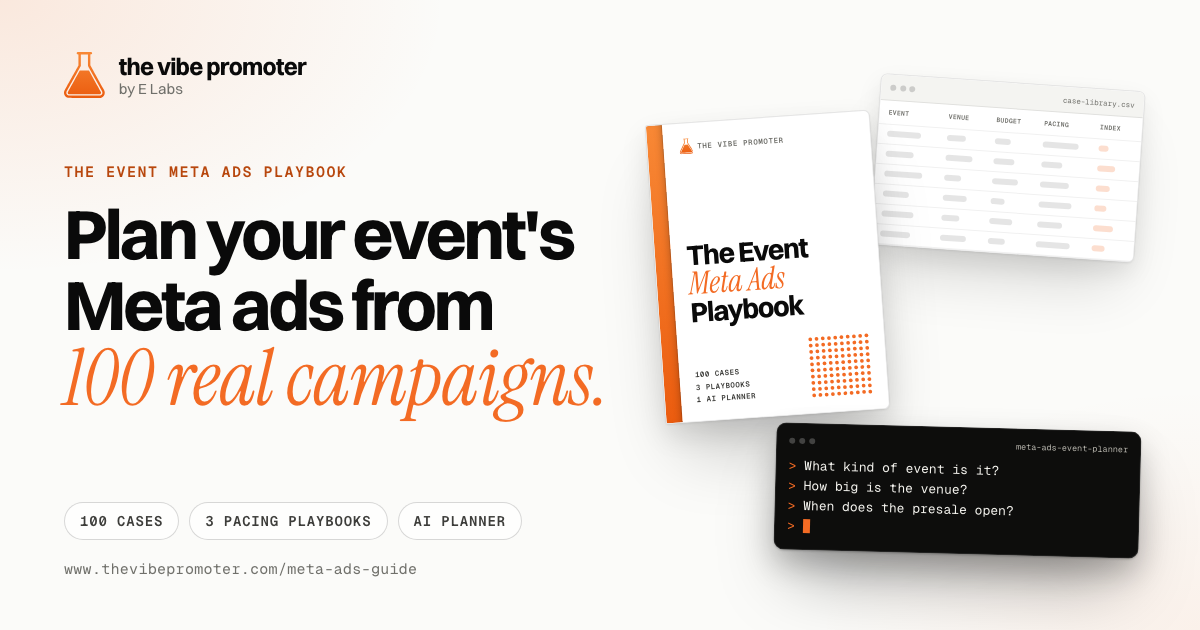
  • Event Meta Ads Playbook

    Plan your event's Meta ads from 100 real campaigns, with an AI planner skill that interviews you about your event.

    £37 one-off

    See Event Meta Ads Playbook
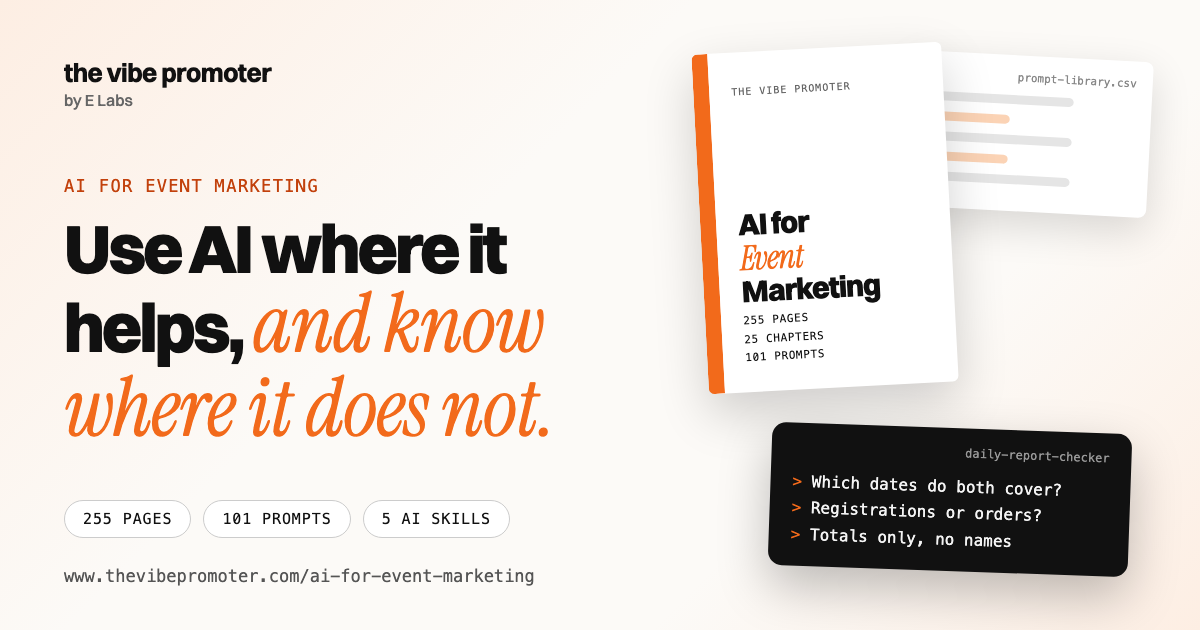
  • AI for Event Marketing

    101 prompts, a 104-tool directory and five AI skills for event promoters, with dated prices and honest limits.

    £59 one-off

    See AI for Event Marketing

Event Marketing Bundle

All three guides for £79. Bought separately they cost £133, so the bundle saves £54 if you want all three.

Separately
£133
Bundle
£79
You save
£54
See the bundle

Before you check out

Want all three guides for £79?

The bundle is the Meta Ads Playbook, the Event Launch Guide and AI for Event Marketing in one payment. You save £54.

  • Event Meta Ads Playbook £37
  • Event Launch Guide £37
  • AI for Event Marketing £59
  • Separately £133
  • Bundle, one payment £79